

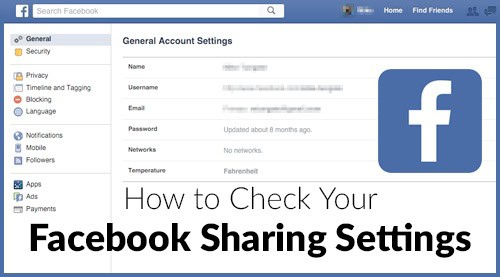
Facebook is a great way to share photos and special experiences with friends and family, but who are you really sharing with? Unfortunately, users may find that their Facebook posts are being viewed by people that they were not intended for. This can be a nuisance when you get replies and comments from strangers, but the fix is fairly easy if you know the steps. If you have IT support, they can set up your Facebook account to your standards. Even after the account is configured to your liking, there are steps to take each time you post in order to be sure that the post is available to only the audience you choose. Continue reading this blog post to learn how to check your Facebook sharing settings.
Settings to Consider
- The most important setting to check when posting is the audience selector tool. This can be found next to the “Post” button and controls who can see the post. You can choose whether to share a post with the public or just your Friends list. One important feature to keep in mind when using the audience selector tool is that it remembers your last preference. This means that if you set a post to “public”, the next post will also be public unless you change the setting.
- After you have posted something, you can still change the audience if you choose. The audience selector tool will still be available on the post allowing you to change the setting if you like. Note: This is not available on posts that you have posted to someone else’s timeline.
- Restricting the people who can comment and like posts follows the same rules as who can see them. If someone can see your post, they can also like it or comment on it. In order to change this, follow the same steps outlined above with the audience selector tool.
See also: Is Your Facebook Account Secure?
Advanced Options
- On occasion, you may want to post something to your Facebook feed but not have it visible to anyone. This can be accomplished without IT support by choosing the “Only Me” setting from the list in the audience selector tool. Keep in mind that if you tag someone in a post that is set to “Only Me”, the person tagged will be able to see it.
- If you delve a bit deeper into the implications of tagging someone in a photo, you may find that friends of the person tagged can see your post. If you would prefer to not have this person’s friends able to see your post, this can be addressed in settings. The audience selector is the starting point once again. Inside the menu, select “Custom” and uncheck the setting for Friends of those tagged. This will ensure that only your friends and the person tagged can view the post.
- The “custom” option can be used for other things as well. You can set up friend lists to show or hide posts to as well as choosing individual people who can view them.
Beyond these simple topics, additional options are available for the most advanced users. It may be useful to obtain IT support in order to perform more complicated actions. Professional assistance is a good idea for a professional Facebook account, to be sure that the settings are optimized.
Are you using Facebook for your work?
{{cta(‘dc76479e-6d4c-400a-9315-d9eb0fd1141a’,’justifycenter’)}}
 Written By Kevin Gray
Hello! I am the Sales Manager and one of the Senior IT Consultants @ EnvisionIT Solutions. I help our clients envision great technology solutions that help their businesses grow. Let me know if you have any questions. I am an avid outdoorsman who loves fly fishing and camping.