

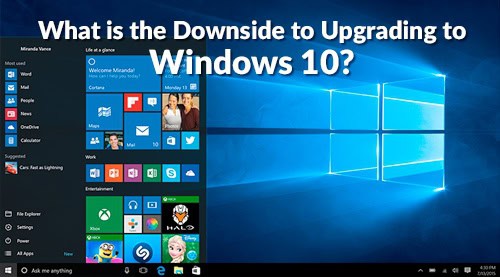
In Microsoft’s words, Windows 10 is an upgrade that promises flexibility, productivity, and familiarity, all wrapped up with the personal touch that users expect from the Windows family of products. As much as we like it, Windows 10 isn’t for everyone. Read our IT Support blog to learn – what is the downside to upgrading to Windows 10 – and if your computer environment would be better off without it.
Whether or not to switch is the question, as Microsoft is offering a free Windows 10 upgrade to owners of their two most recent platforms. While we certainly have no problem with free upgrades, let’s examine a few drawbacks to the Windows 10 update and examine whether the benefits are worth your time.
No Windows Media Center
This factor may or may not be relevant to your personal media consumption, but either way, Microsoft is officially dropping Windows Media Center with this new operating system. This was supposedly due to low usage numbers and the rise of video-on-demand services that eclipsed the “all-in-one” media functionality that the center promised. Having said that, it still maintains a legion of devout followers who will be sorry to see it go.
Hamburgers Everywhere
You know those little “hamburger” sidebar menus in the corners of your screen that often seem to:
- Clash with website navigation
- Prevent easy readability and discovery
- Decrease user engagement
- Offer few advantages to website design other than a more compressed workspace
Yes, Windows 10 is full of them. As a way to save screen space for tablet and mobile users, these sidebar menus are everywhere. Some folks may find them handy, but many of us blanch at the decreased menu visibility in favor of saving screen real estate.
See also: The Hamburger Button: What is it and do you like it?
Loss of Control
Windows 10 is Microsoft’s first stab at creating a “unified operating system.” After all the bells and whistles are considered, one important and not often discussed side effect of this change is that users will lose the ability to control updates to their OS.
Updates in the past have a proven track record of creating unexpected back end development problems ranging from broken playback of media to complete system shutdown. While Microsoft has pledged itself to improving these upgrades, it may concern some users that these updates will no longer be optional.
Necessary Peripherals
The much-touted “Windows Hello” promises enhanced security and personalization of your data by allowing you to lock your hardware with biometric authenticators that thieves or unauthorized users can’t imitate.
While it sounds great on paper, Windows Hello isn’t ready to use out of the box—special hardware is often required to unlock the full range of features. Sure, Microsoft’s website claims that users with the Intel 3D Camera will be able to unlock the facial recognition features out of the box, but other features will require expensive peripheral fingerprint readers or other biometric sensors.
See also: What You Should Know Before Upgrading to Windows 10
Should I Upgrade?
At the end of the day, the choice lies with you, the user. Windows 10 may fall short in the areas of user control, discoverable navigation, and cost-effective peripheral use for its features, but the unified nature of its OS promises many benefits.
Take stock of your current Windows usage, and see if the above drawbacks will hamstring your current platform usage. If any of these are deal breakers, you might be better off staying loyal to the OS you’re currently using. This is something we do as part of our managed IT services for our Total Care IT Support clients in sunny Albuquerque, NM.{{cta(‘39761c1d-fb01-4352-a017-50185f5bdb42’)}}
 Written By Kevin Gray
Hello! I am the Sales Manager and one of the Senior IT Consultants @ EnvisionIT Solutions. I help our clients envision great technology solutions that help their businesses grow. Let me know if you have any questions. I am an avid outdoorsman who loves fly fishing and camping. I also love sports – soccer, basketball, football….